Phone Lagging? Here's How to Fix Slow Performance - Complete Guide 2026
Phone Lagging? Here's How to Fix Slow Performance - Complete Guide 2026
Is your phone feeling slow? Apps taking forever to open? Scrolling feels choppy? Don't rush to buy a new phone yet. Many performance issues can be fixed with simple tweaks. This guide covers 20 ways to speed up your phone.
Why Phones Become Slow
Phones slow down over time for several reasons:
- Storage is nearly full (less than 10% free)
- Too many apps running in the background
- Old cached data accumulating
- Outdated software
- Battery health degradation (throttling performance)
- Too many animations and visual effects
20 Ways to Fix a Slow Phone
1. Restart Your Phone
The simplest fix. Restarting clears temporary files and closes background processes. Restart your phone at least once a week.
2. Free Up Storage Space
When storage is over 90% full, phones slow down significantly. Keep at least 10-15% storage free.
Settings > Storage > Clean up recommendations
3. Clear App Cache
Apps store temporary files that can grow to several gigabytes. Clear cache regularly.
Samsung: Settings > Device care > Storage > Clean now
Xiaomi: Settings > Storage > Cleaner > Clean
4. Uninstall Unused Apps
Every app takes storage and may run background processes. Uninstall apps you haven't used in months.
5. Disable or Remove Bloatware
Manufacturer pre-installed apps you never use. Disable them.
Settings > Apps > Select app > Disable
6. Update Your Software
Software updates include performance improvements and bug fixes. Always keep your phone updated.
Settings > Software update > Download and install
7. Reduce Animations
Animations look nice but consume resources. Reduce or disable them.
Developer Options > Window animation scale > 0.5x
8. Use Lite Versions of Apps
Facebook Lite, Instagram Lite, and YouTube Go use less resources than full apps.
9. Disable Auto-Sync
Auto-sync constantly checks for updates. Disable it and sync manually.
Settings > Accounts > Auto-sync data > Off
10. Turn Off Background App Refresh
Prevent apps from refreshing in the background.
Settings > Apps > Select app > Mobile data > Disable background data
11. Check Battery Health
If your battery health is below 80%, the phone may throttle performance to preserve battery.
12. Enable Battery Saver Mode
Battery saver limits background activity and can improve performance by reducing load.
13. Reset App Preferences
Resets all app permissions and defaults without deleting data.
Settings > Apps > Reset app preferences
14. Use High-Performance Mode (Samsung)
Samsung phones have a high-performance mode for better speed.
Settings > Device care > Performance profile > High
15. Remove Live Wallpapers
Live wallpapers use processor and battery. Use a static wallpaper instead.
16. Disable Widgets
Widgets constantly update and consume resources. Remove unnecessary widgets from home screen.
17. Clear Download Folder
Old downloaded files take storage. Delete files you no longer need.
18. Factory Reset as Last Resort
If all else fails, backup your data and factory reset. This brings your phone back to factory condition.
Settings > General management > Reset > Factory data reset
19. Replace Aging Battery
If your phone is 2-3 years old, a new battery can restore original performance.
20. Consider Upgrading
If your phone is 4+ years old, software updates may no longer be available. Consider buying a new phone.
Quick Fix Checklist
| Fix | Time Needed | Difficulty | Restart phone | 1 minute | Easy | Free up storage | 5 minutes | Easy | Clear app cache | 2 minutes | Easy | Update software | 15 minutes | Easy | Reduce animations | 2 minutes | Medium | Factory reset | 30 minutes | Medium |
|---|
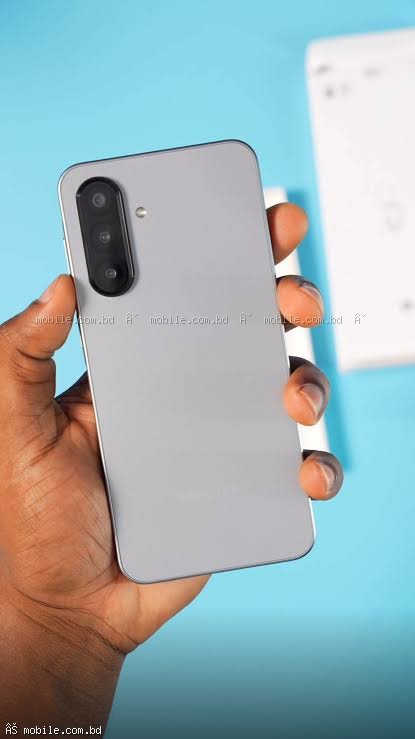
If your current phone is too old and slow to fix, consider upgrading to one of these:
- Galaxy A36 5G - 29,999 BDT - Snapdragon 6 Gen 3, smooth performance
- Galaxy A56 5G - 34,999 BDT - Excellent performance, 8GB RAM
- realme 15 5G - 27,990 BDT - 12GB RAM, super smooth
Where to Buy New Phones
mobile.com.bd offers all these phones with official warranty and the lowest prices in Bangladesh.
? Shop fast performance phones ?
Frequently Asked Questions
Question 1: Why is my phone suddenly so slow?
Answer: Check storage space, recent app installations, and software updates. A recent update or app may be causing issues.
Question 2: Will a factory reset make my phone faster?
Answer: Yes, it will bring your phone back to factory condition. Back up your data first.
Question 3: How often should I restart my phone?
Answer: Once a week is recommended to clear temporary files and background processes.
Question 4: Is it worth replacing the battery or buying a new phone?
Answer: If phone is 2-3 years old and otherwise works well, replace battery. If 4+ years old, buy a new phone.