Samsung20
Galaxy S26 Ultra 5G Official
Guru Music 2 Official
Galaxy A17 5G Official
Galaxy A16 5G Official
All Samsung
 Xiaomi8
Redmi Note 15 5G Official
Redmi 15 Official
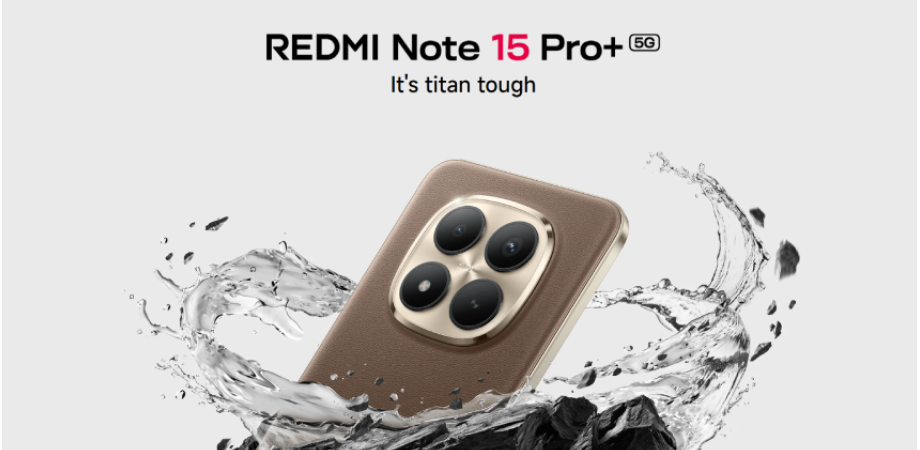
Redmi Note 15 Pro Plus 5G Official
Redmi 15C - Official
All Xiaomi
 Apple200
Replacement Full Body Housing for Apple…
Original iPad 4 Battery Price in Bangla…
iPhone 11 11 Pro 11 Pro Max Power on / …
IPhone Screwdriver Kit 5 in 1 for Apple…
All Apple
Samsung937
Galaxy S22 Ultra Back Panel/Backshell/ …
Galaxy Note 10 10 Plus Back Panel/Backs…
Sim Tray / Sim Card Holder For Galaxy A…
Galaxy Note 10/Note 10Plus Side Volume …
All Samsung
Xiaomi612
For Xiaomi Redmi Note 12 4G Volume Butt…
Redmi Note 12 12 Pro 4G 5G power on / o…
Replacement Back Main Camera Glass Lens…
Mi Note 10 Lite Sim Slot /SD Card Tray …
All Xiaomi
 Realme1077
9 5G Speed Edition Full Body Housing Wi…
Oppo Find X9s ALL Type of cover ( Silic…
7 5GFull Body Housing / Middle Frame Ch…
3 Pro Full Body Housing / Middle Frame …
All Realme
 OPPO408
A52 A53 A53s A54 A55 A55s 4G 5G Power o…
Original Oppo Reno8 5G Display Price in…
Reno 8T 4G 5G Sim Tray Micro SD Card Sl…
For Oppo Reno 6 4g Side Frame and Back …
All OPPO
 Vivo453
Sim Tray / Sim Card Holder For Vivo Z1X
Y78 Full Body Housing / Middle Frame Ch…
Front Camera Module for Vivo S1 S1 Pro …
Front Camera Module for Vivo Y12s Y17s …
All Vivo
 OnePlus123
Main Board Motherboard Connection LCD D…
8 Back Panel/Backshell/ Casing + With C…
For OnePlus Nord CE 2 Lite Full Body Ho…
Nord 2T Power on / off Switch Button Si…
All OnePlus
 Nokia170
5310 2020 Full Body Replacement Casing …
Mobile Casing For 6310
Casing For Nokia 3310 3G ( Black / Yell…
105 (2022) & Back Side Mobile Casing / …
All Nokia
Xiaomi11
MIIW MWMM01 Wireless Silent Mouse
Mi XMBXJP01YM Portable Dual Mode Keyboa…
MI PORTABLE MOUSE 3
MI PORTABLE MOUSE 3 Dual Mode
All Xiaomi
 Asus28
Ruijie RG-EW300T N300 Mbps Gigabit WiFi…
TUF Gaming RGB Keyboard & Mouse Combo
PRIME H510M-K Micro ATX 10th & 11th Gen…
P713 ROG Harpe Ace Aim Lab Edition Wire…
All Asus
 HP19
WirelessSuit Dual Mode 2.4GHz & Bluetoo…
M22f 21.5 Inch 75 Hz FHD IPS Borderless…
Original KU-1156 Black USB Wired Keyboa…
G260 USB Wired Optical Gaming Mouse
All HP
 Logitech13
K400 Wireless With Touchpad Keyboard
K480 Bluetooth Multi Device Keyboard
M170 Wireless Mouse
K120 USB Keyboard
All Logitech
Apple18
EarPods USB-C A3046 (MYQY3ZM/A)
Type C to Lightning phone Data Sync & F…
2.4A & 5A FAST Charging cable USB to Li…
Type C To Type C Cable for iPhone /iPad…
All Apple
Samsung29
Official Samsung 15W Watt Wall Charger …
45W USB-C PD Charger with Cable [EP-TA8…
25W-PD Adapter USB-C (EP-T2510)
Premium Official Samsung 45W Watt USB-C…
All Samsung
Xiaomi57
6A Type-A to Type-C Cable (BHR4915CN)
33w Charger Kit 2nd Generation (MDY-11-…
90W Hypercharge Combo (Type A) MDY-15-EK
45W Turbo Charging Power Adapter (Type-…
All Xiaomi
Realme12
SUPERVOOC 67W Charger EU Pin
SUPERVOOC 45W Charger EU Pin
33W Super VOOC Flash Fast Charger Type …
SUPERVOOC 45W Power Adapter with Type C…
All Realme
OPPO6
USB-A to USB-C 1m Cable
65W Type-A to Type-C 1M Charging Cable
A12 3GB/32GB Glass Protector
Joyroom TCG05 GaN Ultra 140W 4-in-1 Fas…
All OPPO
OnePlus11
SUPERVOOC 1.5M Type-C to Type-C Data Ca…
1.5M Type-A to Type-C Cable
SUPERVOOC 120W Dual Ports GaN Power Ada…
USB-A to Type-C 10A Cable 1M EU (Red)
All OnePlus
 Huawei15
Awei PA-92 20000mAh 22.5W Fast Charging…
C-3.5mm Earphone audio jack
Mcdodo CA-6230 4-in-1 2.4A 1.2m Data Ca…
Rivo 3A USB to Type-C Fast Charging Cab…
All Huawei
Apple580
Premium Joyroom HD Clear Tempered Glass…
Premium Joyroom HD Clear Tempered Glass…
For Apple iPad mini 4th generation (201…
For Apple iPhone 14 Pro 14 Pro Max All…
All Apple
Samsung809
For Samsung Galaxy S7 Edge Silicon Mobi…
Galaxy A52 / ALL Type of cover ( Silico…
Galaxy A34 5G Xundd Case Bumper Mobile …
Galaxy S24 FE ALL Type of cover ( Silic…
All Samsung
Xiaomi471
13 Ultra / ALL Type of cover ( Silicon…
14T Pro / ALL Type of cover ( Silicone…
15 Ultra / ALL Type of cover ( Silicone…
15 Pro / ALL Type of cover ( Silicone c…
All Xiaomi
Realme296
8 / Realme 8 Pro 4g Matt Black Selicon …
Premium Liquid Silicone Phone case for …
GT 6 / ALL Type of cover ( Silicone cov…
Original Premium Liquid Silicone Phone …
All Realme
OPPO233
Transparent Back Clear Cover case + Xun…
Reno 6 Pro 5g Clear Transparent Back Co…
For Oppo A6x Camera Protector WSKEN Met…
Original Premium Liquid Silicone Phone …
All OPPO
Vivo437
V40 Pro / ALL Type of cover ( Silicone…
Premium Liquid Silicone Phone case for …
Y58 5G / ALL Type of cover ( Silicone c…
T2 Pro / ALL Type of cover ( Silicone …
All Vivo
OnePlus185
10T / ALL Type of cover ( Silicone cove…
6T Luxurious Soft Silicon Case Back Cov…
13/ ALL Type of cover ( Silicone cover …
Nord CE 2 Luxury Silicon Protect Back C…
All OnePlus
Nokia12
Camera Main Glass Lens for Nokia 2.2 3.…
Spigen cover For Nokia X20 / Nokia X10 …
Premium Spyzone For Nokia G10 / Nokia G…
1110 Casing
All Nokia
Xiaomi19
30W Sound Outdoor Portable Speaker (MDZ…
XiaoAI Portable Mini Bluetooth Speaker
Smart Speaker (IR Control)
Mi In-Ear Headphones Basic
All Xiaomi
Realme15
Buds Air 8 ANC TWS
Buds Air 7 52dB ANC TWS Earbuds
Buds Wireless 3 ANC neckband
Buds Wireless 3 Neo ENC Neckband
All Realme
OnePlus9
E518A Nord Buds 4 Pro Earbuds
Bullets Wireless Z2 Bluetooth Neckband …
Bullets Wireless Z2 ANC Bluetooth Neckb…
Bullets Wireless Z3
All OnePlus
Huawei22
FreeClip 2 TWS Earbuds
Awei Y200 Portable Bluetooth Speaker
Awei Y370 Portable Bluetooth Speaker
Awei Y788 Portable Outdoor Bluetooth Sp…
All Huawei
Apple11
Watch Series 10
Watch Ultra 3
Watch Ultra 2 with Trail Loop GPS + Cel…
Watch Ultra 2 with Ocean Band GPS + Cel…
All Apple
Xiaomi475
Smart Camera Standard Edition 2k
OiDiRe ODI-YM05 Double Cup Grinding Mac…
Redmi Watch 5 Lite BT Calling Smart Wat…
SOLOVE F5 Pro Desktop Fan
All Xiaomi
OnePlus5
Pad 2 Full Protection Folio Case
Pad 3 Full Protection Folio Case
Stylo 2 Pen for Pad 2
Pad 3 Folio Case-Blue
All OnePlus
Huawei7
Band 10 Smart Watch
Band 11 Pro Smart Fitness Watch
Band 11 Smart Watch
Band 11 (Durable Polymer)
All Huawei
Xiaomi106
Mijia Bluetooth Thermometer And hygrome…
Zmi battery charger-PB401
Mijia Multi-Function Sports Chest Bag
petkit 2 in1 trimmer pro for cats and d…
All Xiaomi
Huawei2
ONU Optical Network Terminal Ultra Wide…
Awei F29 Mini Desktop Oscillating Recha…
All Huawei
HP33
680 Tri Color Original Ink Advantage Ca…
63 Tri-color Ink Cartridge
107A (W1107A) Black Laser Toner Cartrid…
305 Color Ink Cartridge
All HP
Apple67
Alpine Loopback Strap Double-Layered Po…
Alpine Loopback Strap Double-Layered Po…
Alpine Loopback Strap Double-Layered Po…
Premium Ocean Alpine loop Strap For App…
All Apple
Samsung37
Premium Cover for Samsung Tab S9 Ultra …
Galaxy A24 4G Back Shell Back Panel Bat…
Premium Cover for Samsung Tab S9 FE Plu…
Premium Cover for Samsung Tab S9 11 inc…
All Samsung
Xiaomi33
Huanxing Electric Shaver S7 with 8.1 Ex…
Mijia Multifunctional Health Kettle N1 …
Youpin SmartFrog Desktop Dehumidifier 1…
Premium Smart Case Compatible with Xiao…
All Xiaomi
Huawei3
Y9a Back Cover Panel Backshell Casing w…
Y8p Back Cover Panel Backshell Casing w…
Y8s Back Cover Panel Backshell Casing w…
All Huawei

| Brand | Olax |
| Category | Router |
| Model | OLAX M100 10000mah Battery WiFi 6 5G Router |
| Status | Active |
Be the first to share your experience with this product.
We found your earlier chat. Enter the 6-digit code we send by SMS to continue where you left off.
We send a 6-digit code by SMS. This keeps your orders and order details private.