Mobile Phone Security Tips - How to Protect Your Phone and Data in 2026
Mobile Phone Security Tips - How to Protect Your Phone and Data in 2026
Your smartphone contains your personal data, photos, messages, banking apps, and more. Protecting it from thieves, hackers, and malware is essential. This guide provides 20 mobile phone security tips to keep your data safe.
Physical Security Tips
1. Use a Strong Screen Lock
Use PIN, password, fingerprint, or face unlock. Avoid simple patterns like "L" shape or "1234".
2. Enable Find My Device
Samsung: Settings > Security > Find My Mobile
Google: Settings > Security > Find My Device
3. Write Down Your IMEI Number
Dial *#06# to get your IMEI. Write it down. If your phone is stolen, you can give this to the police and your carrier.
4. Don't Leave Your Phone Unattended
Never leave your phone on a restaurant table, in a car, or anywhere visible. Thieves can snatch it in seconds.
5. Use a Privacy Screen Protector
A privacy screen protector prevents people from seeing your screen from an angle - perfect for public transport and crowded places.
Digital Security Tips
6. Use Samsung Knox (Samsung Phones)
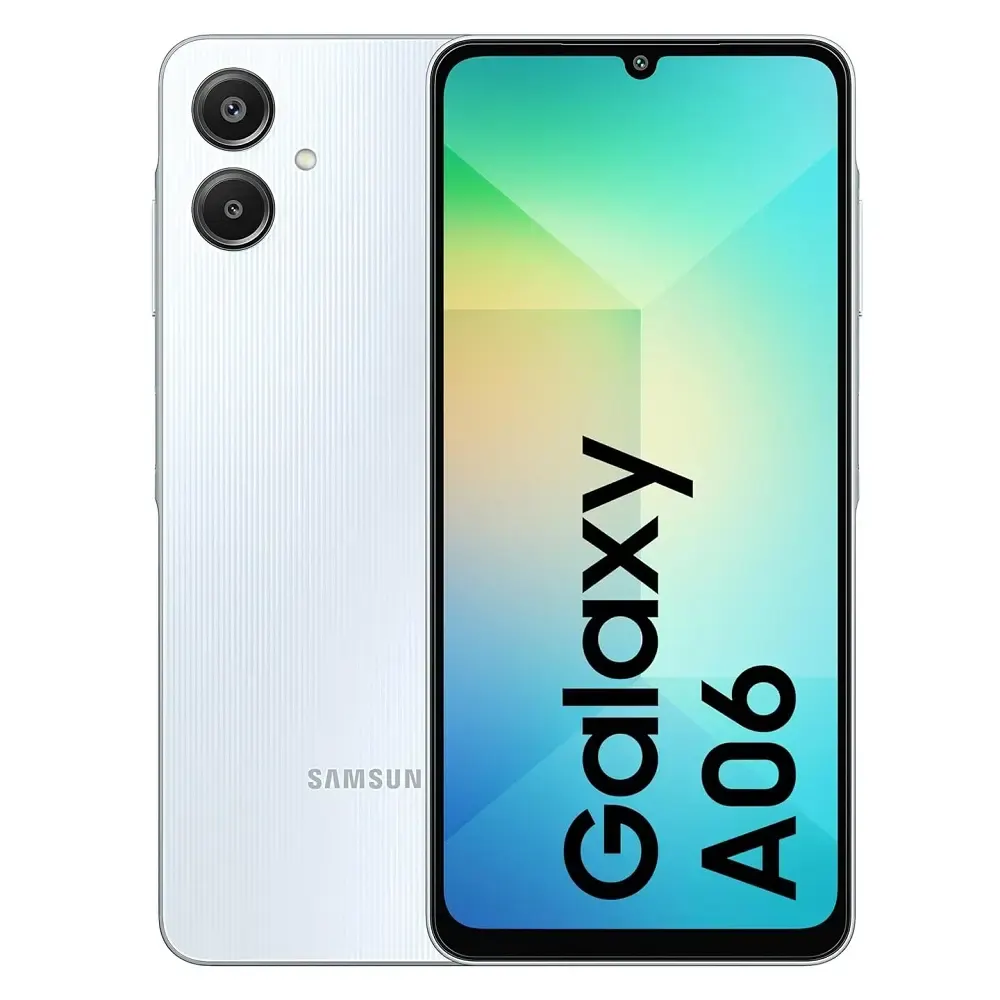
Samsung Knox provides defense-grade security for your phone. It protects your data from malware and unauthorized access. All Galaxy A series and S series phones include Knox.
7. Use Secure Folder
Secure Folder creates an encrypted, private space on your phone for sensitive apps and documents. Accessible only with your PIN or biometrics.
8. Keep Your Phone Updated
Software updates include critical security patches. Always install updates when available. Samsung phones offer 5 years of security updates.
9. Only Install Apps from Google Play Store
Avoid downloading APKs from unknown websites. They may contain malware that steals your data.
10. Check App Permissions
Go to Settings > Apps > Permission manager. Revoke permissions that don't make sense (e.g., a flashlight app doesn't need location access).
11. Use a VPN on Public Wi-Fi
Public Wi-Fi networks (cafes, airports, hotels) are not secure. Use a VPN to encrypt your internet traffic.
12. Enable Two-Factor Authentication (2FA)
Enable 2FA on your Google account, Facebook, email, and banking apps. This adds an extra layer of security.
13. Don't Save Passwords in Browser
Avoid saving banking or sensitive passwords in your phone's browser. Use a password manager instead.
14. Be Aware of Phishing Scams
Don't click on suspicious links in SMS, WhatsApp, or email. Banks and bKash/Nagad will never ask for your PIN via message.
Banking and Payment Security
15. Use Mobile Banking Apps with Caution
Only use official bKash, Nagad, Rocket, and banking apps. Never share your PIN or OTP with anyone.
16. Enable Transaction Notifications
Get SMS or app notifications for every transaction. Report unauthorized transactions immediately.
17. Log Out After Using Banking Apps
Don't stay logged into banking apps. Log out after each session.
18. Use a Dedicated SIM for Banking
If possible, use a separate SIM card for banking transactions. This reduces risk if your primary SIM is compromised.
What to Do If Your Phone Is Stolen
- Use Find My Device to locate, lock, or erase your phone
- Contact your mobile operator to block the SIM card
- Change passwords for all important accounts (email, banking, social media)
- File a police report with your IMEI number
- Contact your bank to block mobile banking access
Best Security Features on Samsung Phones
| Feature | Description | Samsung Knox | Defense-grade security platform | Secure Folder | Encrypted private space for apps and files | Maintenance Mode | Protects personal data when phone is being repaired | Auto Blocker | Blocks unauthorized app installations |
|---|
| Model | Security Features | Price | Buy Link | Samsung Galaxy A06 | Knox, Secure Folder, 4 years updates | 14,499 | Buy | Galaxy A16 5G | Knox, Secure Folder, 5 years updates | 24,999 | Buy | Galaxy A56 5G | Knox, Secure Folder, 5 years updates | 34,999 | Buy |
|---|
Frequently Asked Questions
Question 1: Which phone brand is most secure?
Answer: Samsung phones with Knox security are the most secure Android phones.
Question 2: Can my phone be hacked through Wi-Fi?
Answer: Yes, on public Wi-Fi. Always use a VPN on unsecured networks.
Question 3: How often should I update my phone?
Answer: Install updates as soon as they are available. Enable automatic updates.
Question 4: Is fingerprint unlock secure?
Answer: Yes, fingerprint is more secure than pattern or PIN.