Best Phone for YouTube Thumbnail Editing and Photo Editing in Bangladesh 2026
Best Phone for YouTube Thumbnail Editing and Photo Editing in Bangladesh 2026
Creating engaging YouTube thumbnails is crucial for getting clicks. You need a phone with a color-accurate display, powerful processor, and enough RAM to run editing apps like Adobe Lightroom, PicsArt, and Canva smoothly. This guide covers the best phones for YouTube thumbnail and photo editing in Bangladesh.
What Makes a Phone Great for Thumbnail and Photo Editing
For editing thumbnails and photos, look for these features:
- Color-accurate AMOLED display for seeing true colors
- High resolution (FHD+ or higher) for seeing details
- Powerful processor for editing large image files
- 6GB to 8GB RAM for smooth multitasking
- Good stylus support (if using S Pen)
- Ample storage for saving many thumbnail files
Top 7 Best Phones for Thumbnail and Photo Editing 2026
| Rank | Model | Price (BDT) | Display | RAM | Best For | Buy Link | 1 | Galaxy S25 FE | 48,999 | 6.7" 120Hz Dynamic AMOLED | 8GB | Professional editing | Buy Now | 2 | Galaxy A56 5G | 34,999 | 6.7" 120Hz Super AMOLED+ | 8GB | Best value editing | Buy Now | 3 | realme 15 5G | 27,990 | 6.72" 120Hz AMOLED | 12GB | Best specifications | Buy Now | 4 | Galaxy A36 5G | 29,999 | 6.6" 120Hz Super AMOLED+ | 8GB | Best under 30k | Buy Now | 5 | Samsung Galaxy A16 5G | 24,999 | 6.5" 90Hz Super AMOLED | 4GB | Best budget editing | Buy Now | 6 | realme C85 Pro | 22,990 | 6.7" 120Hz AMOLED | 6GB | Best value AMOLED | Buy Now |
|---|
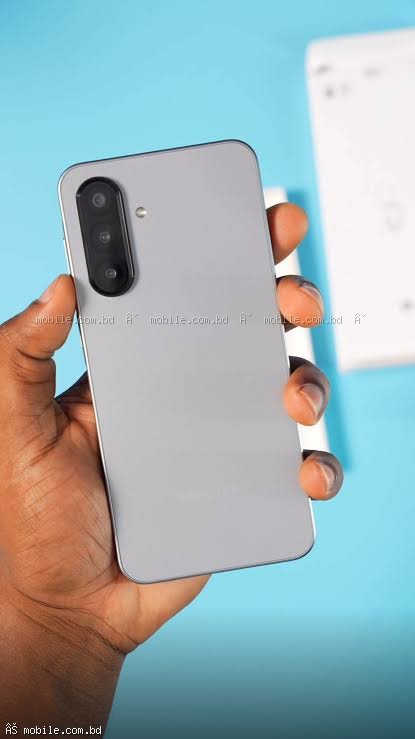
Galaxy S25 FE - Best for Professional Photo Editing
The Galaxy S25 FE features a 6.7-inch Dynamic AMOLED display with HDR10+ support. The colors are extremely accurate right out of the box. The 8GB RAM handles Adobe Lightroom and Photoshop Express smoothly. The 8GB RAM and powerful processor make batch editing fast. The 256GB storage option is perfect for storing high-resolution thumbnail templates and assets.
Color Accuracy: 100% DCI-P3 color gamut coverage
Buy Galaxy S25 FE for photo editing ?
Galaxy A56 5G - Best Value for Thumbnail Editing
At 34,999 BDT, the Galaxy A56 5G offers a 6.7-inch Super AMOLED+ display that is nearly as good as the S25 FE for color accuracy. The 120Hz refresh rate makes scrolling through layers and adjustments smooth. The 8GB RAM is plenty for Canva, PicsArt, and Lightroom. This is the best value phone for YouTubers creating thumbnails.
Buy Galaxy A56 5G for thumbnails ?
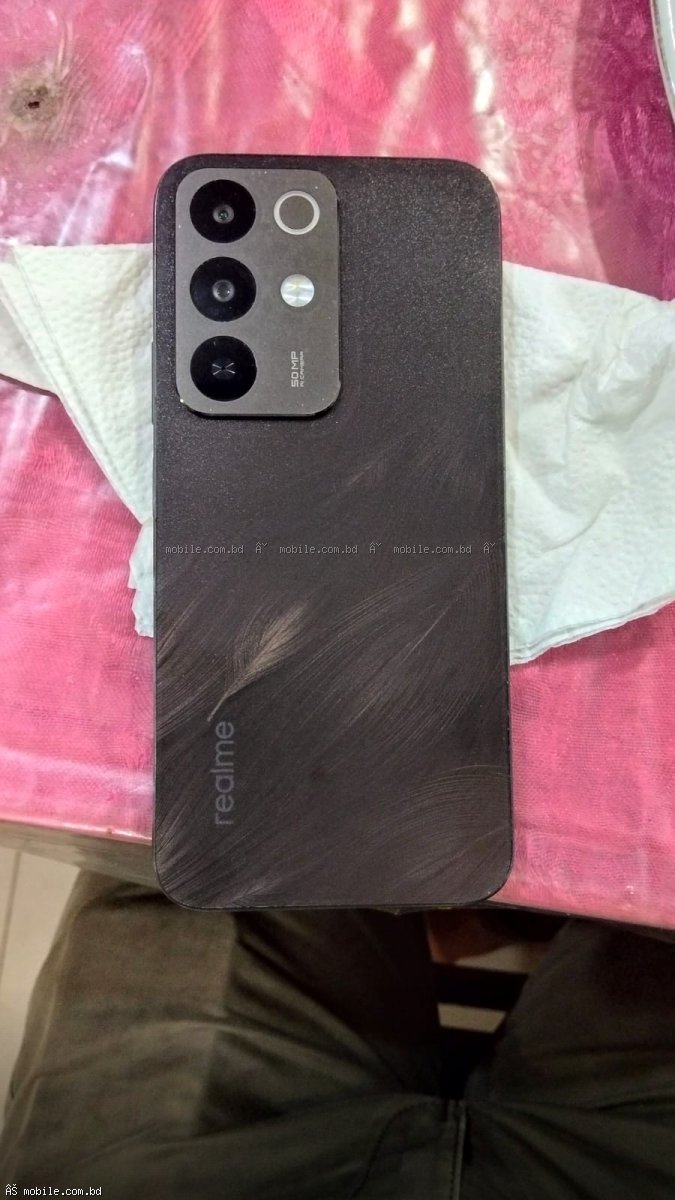
realme 15 5G - Best Specifications for Editing
The realme 15 5G offers 12GB RAM and a 120Hz AMOLED display at 27,990 BDT. The 12GB RAM is overkill for photo editing - you can have Canva, Lightroom, and PicsArt all open at once. The 256GB storage gives you plenty of space for thumbnails. This is the best phone for multitasking editors.
Buy realme 15 5G for editing ?
Display Quality for Photo Editing
| Phone | Display Type | Color Gamut | Brightness | Color Accuracy | S25 FE | Dynamic AMOLED | 100% DCI-P3 | 1200 nits | Excellent | A56 5G | Super AMOLED+ | 100% DCI-P3 | 1000 nits | Excellent | realme 15 5G | AMOLED | 100% DCI-P3 | 900 nits | Very Good |
|---|
- Adobe Lightroom: Best for color grading and exposure adjustments (free)
- Canva: Best for templates and text overlays (freemium)
- PicsArt: Best for adding effects and stickers (freemium)
- Snapseed: Best free all-in-one editor (free)
- Photoshop Express: Professional editing (freemium)
- Phonto: Best for adding text (free)
How to Create Professional Thumbnails on Phone
Step 1: Take or Choose a High-Quality Photo
Use your phone's 50MP camera to take a sharp photo. The Galaxy A56 5G and S25 FE have excellent cameras.
Step 2: Edit in Lightroom
Adjust exposure, contrast, saturation, and sharpness. Use presets for consistency across your channel.
Step 3: Add Text in Canva or Phonto
Use bold, readable fonts. Yellow, red, and white text with black outlines works best.
Step 4: Add Effects in PicsArt
Add shadows, outlines, and glow effects to make your subject pop.
Step 5: Export in Correct Size
YouTube thumbnails are 1280 x 720 pixels. Always export at this resolution.
Tips for Better Thumbnail Editing
Use a Color-Accurate Phone
Samsung displays are calibrated for color accuracy. The S25 FE and A56 5G are excellent choices.
Enable Night Light / Eye Comfort Mode
Disable this when editing as it shifts colors to warmer tones.
Check Your Thumbnail on a Computer
After creating a thumbnail, email it to yourself and view on a computer monitor to check how it looks.
Use Templates
Create templates in Canva for your channel to maintain consistent branding.
Which Phone Should You Buy for Thumbnail Editing
Best Overall: Galaxy S25 FE - Most color-accurate display
Best Value: Galaxy A56 5G - Excellent display at lower price
Best Budget: realme C85 Pro - 120Hz AMOLED at 22,990 BDT
Best for Multitasking: realme 15 5G - 12GB RAM for multiple apps
Where to Buy Editing Phones
mobile.com.bd offers all these phones with official warranty and the lowest prices in Bangladesh.
Frequently Asked Questions
Question 1: Which phone has the most color-accurate display?
Answer: The Galaxy S25 FE with Dynamic AMOLED display has the most color-accurate display.
Question 2: Is 4GB RAM enough for Canva and Lightroom?
Answer: 4GB is enough for basic editing. 6GB or 8GB is recommended for smooth performance.
Question 3: Can I edit thumbnails on any phone?
Answer: Yes, but AMOLED displays give you better color accuracy for professional results.
Question 4: What is the best app for YouTube thumbnails on mobile?
Answer: Canva is the most popular and easiest to use. Adobe Lightroom offers professional controls.