Buying Guide
Used Phone Buyers Guide Bangladesh – Complete Checklist 2026
Used Phone Buyers Guide Bangladesh – Complete Checklist 2026
Buying a used phone in Bangladesh can be a great way to save money, but it requires careful attention to avoid scams and hidden issues. This comprehensive buyer's guide provides a complete checklist for buying used phones safely in Bangladesh.
Key Takeaway: The complete used phone buying checklist includes: IMEI verification, battery health check, display test, hardware testing, water damage check, account lock verification, warranty check, and price negotiation .
The Complete Used Phone Buying Checklist
1. Before You Meet the Seller
- Research the phone model and market price
- Check reviews and common issues
- Ask for photos and videos
- Choose a public meeting place
- Bring a friend for safety
- Have cash ready (preferably exact amount)
2. IMEI Verification
- Dial *#06# on the phone
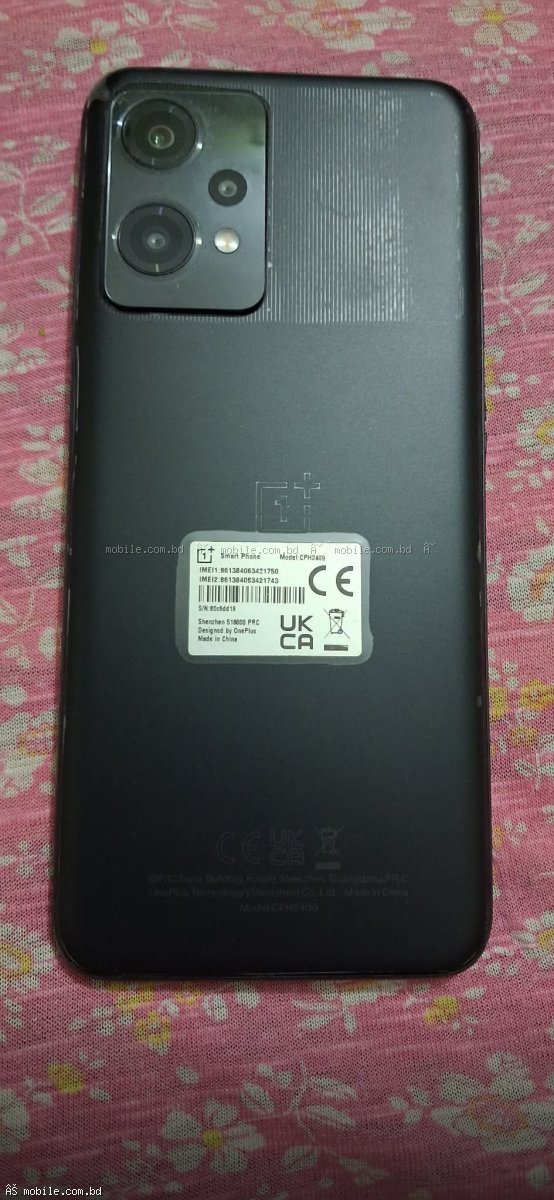
- Note the 15-digit IMEI number
- Check IMEI on the box and invoice (all three must match)
- Verify with BTRC's NEIR system
- Use online IMEI checkers for warranty status
3. Battery Health Check
- iPhone: Settings > Battery > Battery Health (aim for 85%+)
- Samsung: Samsung Members app or dial *#0228#
- Xiaomi/Redmi: Settings > Battery & Performance > Battery Health
- Realme: Settings > Battery > Battery Health
- OnePlus: Settings > Battery > Battery Health
- Universal: AccuBattery app
4. Display Quality Test
- Check for dead pixels (use test images)
- Check for screen burn-in (solid colors)
- Check for green/pink lines (Samsung AMOLED)
- Test touch sensitivity across the entire screen
- Check brightness levels and auto-brightness
- Check for any discoloration
5. Hardware Features Test
- Camera: Test all lenses and flash
- Speaker: Play audio at max volume
- Microphone: Record audio and test call quality
- Buttons: Volume, power, silent/action button
- Fingerprint: Test fingerprint sensor
- Face ID: Test Face ID if available
- Wi-Fi: Connect to a Wi-Fi network
- Bluetooth: Connect to another device
- Charging Port: Test with multiple chargers
- SIM Card: Test call and data
- GPS: Test location accuracy
- Vibration: Test vibration motor
6. Water Damage Check
- Check the water damage indicator (LDI) inside the SIM tray
- Red or pink indicator = water damage
- Look for corrosion on the charging port
- Check for condensation under the camera lens
- Check for discoloration on the screen
7. Account Lock Verification
- iPhone: Ensure "Find My iPhone" is turned off
- Android: Ensure Google account is signed out
- Android: Ensure Factory Reset Protection (FRP) is removed
- Samsung: Ensure Samsung account is signed out
8. Repair History Check
- Look for loose screws, gaps, or poor frame fit
- Check if the display looks original (colors, thickness)
- Check if the back cover fits properly
- Check for any unusual sounds when shaking
- Check the condition of the SIM tray and buttons
9. Software Check
- Ensure the phone is not jailbroken (iOS) or rooted (Android)
- Check for any carrier lock (SIM restrictions)
- Check if the latest OS version is installed
- Check for any unusual apps or settings
10. Invoice and Accessories Check
- Ask for the original invoice
- Check if IMEI on invoice matches the phone
- Check if the box is original (IMEI matches)
- Check original charger and cable
- Check if earphones are included
Quick Checklist Summary
| Check Item | Pass | Fail | Action |
|---|---|---|---|
| IMEI matches box/invoice | ✅ | ❌ | Do not buy |
| Battery health 85%+ | ✅ | ❌ | Negotiate discount |
| No display issues | ✅ | ❌ | Negotiate or avoid |
| All hardware works | ✅ | ❌ | Negotiate repair cost |
| No water damage | ✅ | ❌ | Do not buy |
| iCloud/Google signed out | ✅ | ❌ | Do not buy |
| Original invoice available | ✅ | ❌ | Proceed with caution |
Red Flags – When to Walk Away
- IMEI doesn't match the box/invoice
- iCloud or Google account is locked
- Visible water damage
- Price is too good to be true
- Seller is rushing you
- No warranty offered
- No original invoice
- Seller refuses to meet in public
Negotiation Tips
- Point out any defects (scratches, battery health, missing accessories)
- Ask for 10-15% discount
- Offer cash for a better deal
- Be willing to walk away
- Compare with other sellers
Where to Buy Used Phones Safely
mobile.com.bd offers a trusted marketplace for used phones in Bangladesh with IMEI verification, seller ratings, and secure transactions.
Buy Your Used Phone with Confidence
Browse the complete used phone marketplace at mobile.com.bd and use this checklist to make a smart purchase.